Looking for something like Minitab's Capability Sixpack™ in Excel?
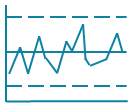
QI Macros XbarR template draws the same charts for a fraction of the cost!
You don't have to spend a lot of money on expensive software to perform process stability and capability analysis on your data.
Create an XBarR Control Chart and Capability Analysis using QI Macros and Excel
- Select your data.
- Click on QI Macros menu > Control Charts (SPC) > Control Chart Templates Wizard.
- QI Macros will open the correct template and paste in your data.
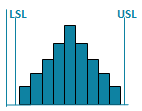
- Then update the LSL/USL to calculate Cp and Cpk..
QI Macros XbarR chart template makes SPC as easy as typing data into an Excel spreadsheet.
Open up the XbarR Six Pack by clicking on the QI Macros tab on Excel's menu, then Control Chart Templates then XbarR Six Pack.
Then just type your data into the yellow input area and the control charts, histogram, values plot and probability plot will be drawn to the right. Set USL/LSL to calculate Cp and Cpk capability metrics. You can also cut and paste data from another spreadsheet into the template:

Listen to our XbarR Chart podcast below!
* Generated using QI Macros' source material via an AI model *
Sigma Estimator Formula
The XbarR Six Pack also lets you choose which formula you want to use for sigma estimator. The default is Pooled Standard Deviation but you can also select Sbar and Rbar by changing the number in cell AV:2:

Stop Struggling with XbarR Charts!
Start creating your XbarR Charts in just minutes.
Download a free 30-day trial. Get XbarR Charts now!
No credit card required
Not a subscription
PC or Mac
QI Macros Draws These Charts Too!