QI Macros Control Chart and Capability Formulas

home · products · services · search · view cart · contact  
 
  NAVIGATION        
 
Shopping cart  Shopping cart
0 Product(s) in cart
Total $0.00
> Checkout

Jay Arthur
888-468-1537
303-756-9144
KnowWare International, Inc.
DBA LifeStar

2253 S. Oneida
Ste 3D
Denver, CO 80224

We help people think!

Copyright © 2009


Understanding Standard Deviation and Control Charts

Many people ask: "Why aren't my upper and lower control limits (UCL, LCL) calculated as:
µ + 3sigma (where µ is the mean and sigma is the standard deviation)?"

To answer this question, you have to understand some key, underlying statistics: variation, standard deviation, sampling and populations.

Variance (stdev^2) is the average of the square of the distance between each point in a total population (N) and the mean (µ).

If your data is spread over a wider range, you have a larger variance and standard deviation. If the data is centered around the average, you have a smaller variance and standard deviation.

Standard deviation (stdev or sigma) is the square root of the variance:
And it can be estimated using the average range (Rbar) between samples (Rbar/d2) when the number of subgroups is 2-10, or using standard deviation Sbar/c4 when n>10.
Rbar = Rave = ΣRi/n

Sampling: Early users of SPC found that it cost too much to evaluate every item in the total population.. To reduce the cost of measuring everything, they had to find a way to evaluate a small sample and make inferences from it about the total population.

Understanding Control Chart Limits:
Ask yourself this question: "If a simple formula using the mean and standard deviation would work for any data, why are there so many different control charts?"

The short answer: to save money by measuring small samples, not the entire population.

Long answer: When using small samples or varying populations, the simple formula using the mean and standard deviation just doesn't work, because you don't know the average, µ, or sigma of the total population, only µ or sigma of your sample.

Why are there so many control charts? Because:
You have to estimate µ and sigma using the average and range of your samples.

In variable charts, the XmR uses a sample size of 1, XbarR (2-10) and XbarS (11-25). These small samples may be taken from lots of 1,000 or more.

In attribute charts, the c and np chart use small samples and "fixed" populations; the u and p charts have varying populations. So, you have to adjust the formulas to compensate for the varying samples and populations.

To reduce the cost of inspection at Western Electric in the 1930s, Dr. Walter S. Shewhart developed a set of formulas and constants to compensate for these variations in sample size and population. That's why they are sometimes called Shewhart Control Charts.

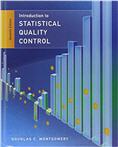
Reference: You can find these in any book on statistical process control (e.g., Introduction to Statistical Process Control, Montgomery, Wiley, 2001, pgs 207-265).

So stop worrying about the formulas.
Start monitoring your process using the charts.

Stability Analysis

XbarR Chart Conforms with ANSI/ASQC B1, B2, B3 1996
The XR chart can help you evaluate the cycle time for almost any process: making a widget, answering a customer call, seating a customer, delivering a pizza, or servicing an appliance. This chart is especially useful when you do this many times a day. Using a small sample (typically five and as many as 25) you can effectively measure and evaluate the process.

XbarR chart formulas

XbarS Chart Conforms with ANSI/ASQC B1, B2, B3 1996
The Average and Standard Deviation chart is especially useful when you have more than five samples.

XbarS chart formulas

XMedianR Chart Conforms with AIAG SPC 2nd Edition
The XMedianR works just like the XbarR except that it uses the median instead of the average as a measure of central tendency.

XMedianR chart formulas

XmR Chart Conforms with ANSI/ASQC B1, B2, B3 1996
The XmR (Individuals and Moving Range) chart can help you evaluate a process when there is only one measurement and they are farther apart: monthly postage expense and so on.

XmR chart formulas

Calculate, plot, and evaluate the range chart first. If it is "out of control," so is the process. If the range chart looks okay, then calculate, plot, and evaluate the X chart.

XmR Median R Chart
The XmR Median R chart uses the Median(R) to reduce the bias in individuals charts.

Using the median helps eliminate bias when there is a "sustained shift in the mean".
Montgomery pg 259.

XmR chart formulas

Compare XmR and XmR Median R charts to see differences in control limits.

XmR Trend Chart
(Source: Statistical Methods for the Process Industries, W McNeese and R Klein, ASQ Press, Milwaukee, pg. 280-290)

UCL and LCL are the same as for the XmR chart
The only difference is how the X center line (CL) is calculated using linear regression to give you the slope of the trend and a y-intercept value: "b", calculated as follows:

time(i)=ti=1,2,3,4....k for each X value
m=slope
b=intercept

The XmRtrend then calculates the linear correlation coefficient (Ryx) for the degrees of freedom (df=k-2).

If Ryx is greater than the probability for this degree of freedom, you have a "significant correlation" between x and y. (Probability that you will conclude there is no correlation when there is one = alpha = 0.05).
If Ryx2 is greater than 0.80, then the correlation indicates a "useful fit."

What does this mean?

Significant correlation.

A measure of x versus y. Is the relationship between x and y statistically significant? This is a measure of how well the trend line reflects the relationship between x and y.

Usefit Fit

Even if there is a significant correlation above this asks the question - Is it useful? Can I make an assumption or prediction about y based on past history?

A measure of the variation in x vs the variation in y.
This is a measure of how the points vary within the control limits.

df Probability df Probability df Probability df Probability
1 .997 11 .553 21 .413 35 .325
2 .950 12 .532 22 .404 40 .304
3 .878 13 .514 23 .396 45 .288
4 .811 14 .497 24 .388 50 .273
5 .754 15 .482 25 .381 60 .250
6 .707 16 .468 26 .374 70 .232
7 .666 17 .456 27 .367 80 .217
8 .632 18 .444 28 .361 90 .205
9 .602 19 .433 29 .355 100 .195
10 .576 20 .423 30 .349    

(Source: Statistical Methods for the Process Industries, W. McNeese, ASQ Quality Press, Milwaukee)

p and np Charts Conforms with ANSI/ASQC B1, B2, B3 1996
The p and np charts will help you evaluate process stability when counting the number or fraction defective. Examples include the number of defective products, meals in a restaurant, incorrect perscriptions, bills, invoices, or paychecks.

p chart formulas

np chart formulas

c and u Charts Conforms with ANSI/ASQC B1, B2, B3 1996
The c and u charts will help you evaluate process stability when there can be more than one defect per unit. Examples include defects per product, errors per invoice, patient falls in a hospital.

c chart formulas
u chart formulas

g Chart

The g chart will help evaluate process stability when tracking rare events:

  • surgeries between infections
  • days between accidents (safety)
  • days between wrong site or wrong patient surgeries

Just count the number of days between events (g).
Then use g to calculate the UCL.
t chart formulas in QI Macros SPC Software for Excel

t Chart
The t chart will help evaluate time between rare events:

  • wrong site or wrong patient surgeries
  • cardiac arrests
  • patient falls

Just count the time or number of units between events.
Transform the time into into a more normal distribution (y).
Calculate the range (R) between events.
Then use y and R to calculate the UCL and LCL (if any).
t chart formulas in QI Macros SPC Software for Excel

Control Chart Constants


Histograms - Number of bars

The most frequent question we get is: "How do you select the number of bars on the histogram?"

The simple answer is we round the square root of the number of data points. For example:

  • 25 data points = 5 bars
  • 100 data points = 10 bars

If there are too many bars (e.g., more than 50) to display nicely on the page, we limit the number of bars.

Juran's Quality Control Handbook provides these guidelines for the number of bars and states that they are not "rigid" and should be adjusted when necessary.

Number of Data Points Number of Bars

20-50

6

51-100 7
101-200 8
201-500 9
501-1000 10
1000+ 11-20

You won't always get exactly 5 bars or 10. Why? Because we're trying to fit the graph to the page between varying specification limits within the constraints of Excel while still making it as readable as possible.

Compare the QI Macros histogram output to Minitab and you'll see that they are similar:


Download a free pdf of histogram formulas and sample calculations at histogram-manual-calcs.pdf

If you still need more help after reading the following information and our free pdf, consider our Histogram Whitepaper.

Add Histogram Whitepaper download (#W950) $20


Histograms - Process Capability Metrics

  • Cp measures how well the data fits within the spec limits (USL, LSL)
  • Cpk measures how centered the data is between the spec limits.
    A Cpk of 1.33 is considered to be at 4-Sigma.

Use Cp when you have a sample, not the population, and are testing the potential capability of a process to meet customer needs. Cp and Cpk use Sigma estimator.

Sigma estimator =

sigma estimator formulas
d2 is a constant based on subgroup size
c4 is a constant based on subgroup size

Xbar = Σ(Xi)/n
Rbar = Average(Ri) (Average of the Ranges in samples)

Cp, Cpk formulas

Cp = (USL-LSL)/(6*sigest)
CpU (upper) = (USL-Xbar)/(3*sigest)
CpL (lower) = (Xbar-LSL)/(3*sigest)
Cpk = Min(CpU,CpL)
ZT (target) = CpkT = (Xbar-Target)/(3*sigest)

Download a free pdf of histogram formulas and sample calculations at histogram-manual-calcs.pdf

One-Sided Specifications
These equations assume that the process has both upper and lower specification limits.
Until 10/2008, the macros used either CpU (USL) or CpL (LSL) for both Cp and Cpk.
After 10/2008 Cp, Cpk, Cpm and other measures relying on USL/LSL will show "*".

Cpm = (USL-LSL)/(6√(sigma2+(Xbar-Target)2))
(Cpm can be used when you have a target value.)

Process Performance

Use Pp when you have the total population and are testing the performance of a system to meet customer needs. Pp, Ppk use standard deviation.

stdev = stdev(Xi)
Pp(sigma) = (USL-LSL)/(6*stdev)
Ppu (upper) = (USL-Xbar)/(3*stdev)
Ppl (lower) = (Xbar-LSL)/(3*stdev)
Ppk(sigma) = Min(Ppu,Ppl)


Cp, Cpk vs Pp, Ppk

Use Cp, Cpk when you have a sample and are testing the potential capability of a process to meet customer needs. Cp Cpk use sigma estimator.

Use Pp, Ppk when you have the total population and are testing the performance of a process to meet customer needs. Pp, Ppk use standard deviation.

For example, if you test a sample of 10 widgets from a batch of 100 widgets:

  • Use Cp, Cpk to measure and make a statement about the whole batch of 100 widgets.
  • Use Pp, Ppk to measure and make a statement about just the 10 widgets you measured.

Cp, Cpk in Older Versions of the QI Macros

In older versions of the QI Macros:
  • Cp Rd2 and Cpk Rd2 are used when you have a sample. These calculations are the same as Cp and Cpk in the current version of the software.
  • Cp sigma and Cpk sigma are the same as Pp and Ppk. Use these when your data represents the total population. Since this was confusing to users, Cp sigma and Cpk sigma are NOT included in the current version of the software. Pp and Ppk are included and provide the same values.
  • Sigma estimator =
    Rbar/d2 when number of subgroups <=10
    Sbar/c4 when number of subgroups > 10

Parts Per Million

Min-Max
Min = Min(Xi)
Max = Max(Xi)

PPM
defects = number of points outside USL-LSL
% Total Defects = (defects100)/(Total points)
PPM = % Total Defects 10000
Expected PPM = (Normsdist(Zlower) + (1-Normsdist(Zupper)))1,000,000

Z Score
Z scores help estimate the non-conforming PPM.
Z scores standardize +/-3*stdev values into +/-3.

Zlower = (Xbar-LSL)/stdev
Zupper = (USL-Xbar)/stdev

Zbench = normsinv(1-(Expected PPM/1,000,000)) Zbench is the Z score for the Expected PPM

ZT (target) = CpkT = (Xbar-Target)/(3*sigest)
Ztarget = Cpk for a target value instead of the USL or LSL. To calculate, go into the Histdata sheet and input the target value to the right of the cell marked "Target".

Variable
Sample Size (SS)
= (ZStdev)/Confidence)2
Where:
Z = 1.96 for 95% confidence level
Stdev = standard deviation (or 0.5 Default)
Confidence interval expressed as decimal (e.g., .05 = ±5%)

Attribute
Sample Size (SS)
= (Z2p(1-p)/Confidence2
Where:
Z = 1.96 for 95% confidence level
p = percent defects (0-0.5 = 0-50%)
Confidence interval expressed as decimal (e.g., .05 = ±5%)

Correction for Finite Population
new sample size = SS/(1+ (SS-1)/population)

Sigma
If observed PPM > 0, it uses the observed value to calculate Sigma.
If observed PPM = 0, it uses Expected PPM to calculate Sigma.
If both are zero, it defaults to 6 sigma.
If there are no USL/LSL, it leaves it blank.

Scatter Diagram
Used to evaluate the correlation between two variables.

  • R2 close to 1.0 means a perfect fit

  • R2 greater then .8 means that 80% of the variability in the data is accounted for by the equation. Most statistics books imply that this means that you have a strong correlation.

Download the FREE 30-day Evaluation copy of the QI Macros Excel SPC Software for Six Sigma

QI Macros - Download with backup CD & User Guide (#230) $139 + S&H
QI Macros - Download Only - No Shipping or Customs Duties (#W230) $139

Reference Books

If you want a good Lean Six Sigma reference, consider my DeMystified book:

If you don't have a good statistical reference book, I can recommend:

 

Download
FREE
30-Day Trial

QI Macros SPC Software for Excel

Or Buy It Now
for only $139!
Unconditional
90-Day
Money-Back
Guarantee

Add QI Macros Starter Kit - SPC Software plus training CD and tools book (#275) $197 plus S&H
Add SPC Simplified System - SPC Simplified Book and DVD, Plus SPC Software, Training Cd and Tools Example Book (#285) $297 plus S&H


home | products | services | search | sitemap | Shopping cart view cart | contact