
Videos to Help You Get Started Using QI Macros
QI Macros is an affordable, easy-to-use add-in for Microsoft Excel. See our QI Macros FAQ page for answers to frequently asked questions about pricing, ordering, technical support, etc. Take this video tour to learn more about the QI Macros functionality and how they work. See our free QI Macros Training page for all of our free training resources.
Installing the QI Macros
To install the QI Macros simply close Excel and run the QI Macros Installation Wizard. Once you run the wizard, open Excel and see the QI Macros on your Microsoft Excel toolbar.
QI Macros Overview
Watch an overview of the QI Macros. QI Macros SPC Software for Excel has five parts and numerous wizards to assist with your data analysis:
30 Chart Macros
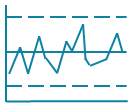
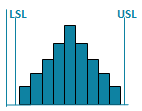
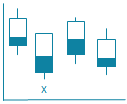
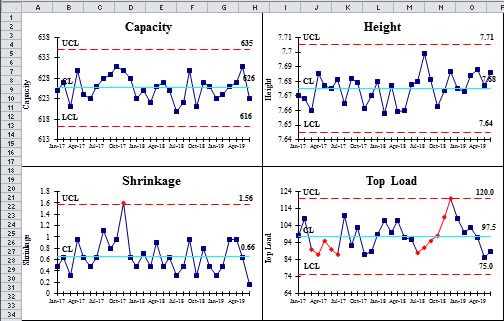
To create a chart using the QI Macros simply click and drag over your data and then select the chart you want to create from the QI Macros menu. Here are some videos of sample charts. See how easy it can be to create these Six Sigma charts in Excel using the QI Macros:



Templates
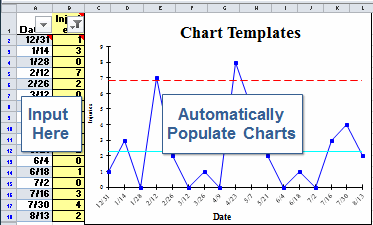
Lean Six Sigma-Templates, fishbones, Gage R&R, DOE, QFD and PPAP forms. To open a template click on Lean Six Sigma-Templates and then one of the sub menus. Most input areas are highlighted in yellow. Here are some sample fill-in the-blanks templates for your six sigma needs. Watch a video of:



Statistical Analysis Tools
QI Macros also includes easy to use statistical tools include anova, regression analysis, data normality test and sample size calculator. Here are some sample videos of the Anova and Analysis Tools: Watch a video of:
- Statistical Tools Overview video
- Statistics Wizard in QI Macros
- ANOVA Single Factor - Analysis of Variance
- Data Normality Test
Data Transformation Tools

Other Free QI Macros Training Resources
Why wait? Start creating these charts and diagrams in seconds using
QI Macros add-in for Excel.
Join 100,000+ Users
in 80 Countries


KnowWare International, Inc.
2696 S. Colorado Blvd., Ste. 555
Denver, CO 80222 USA
Toll-Free: 1-888-468-1537
Local: (303) 756-9144


